Works in any window
Browsers, PDF readers, Office, terminals, games. If the word is on your screen, one shortcut looks it up.
AALookup for Windows
Press one shortcut on a word in a browser, a PDF, a game or a video, and the meaning appears next to it. No copying, no switching windows, no floating icons on your desktop. Free, and under 20 MB.
No account needed. Your dictionaries stay on your computer.
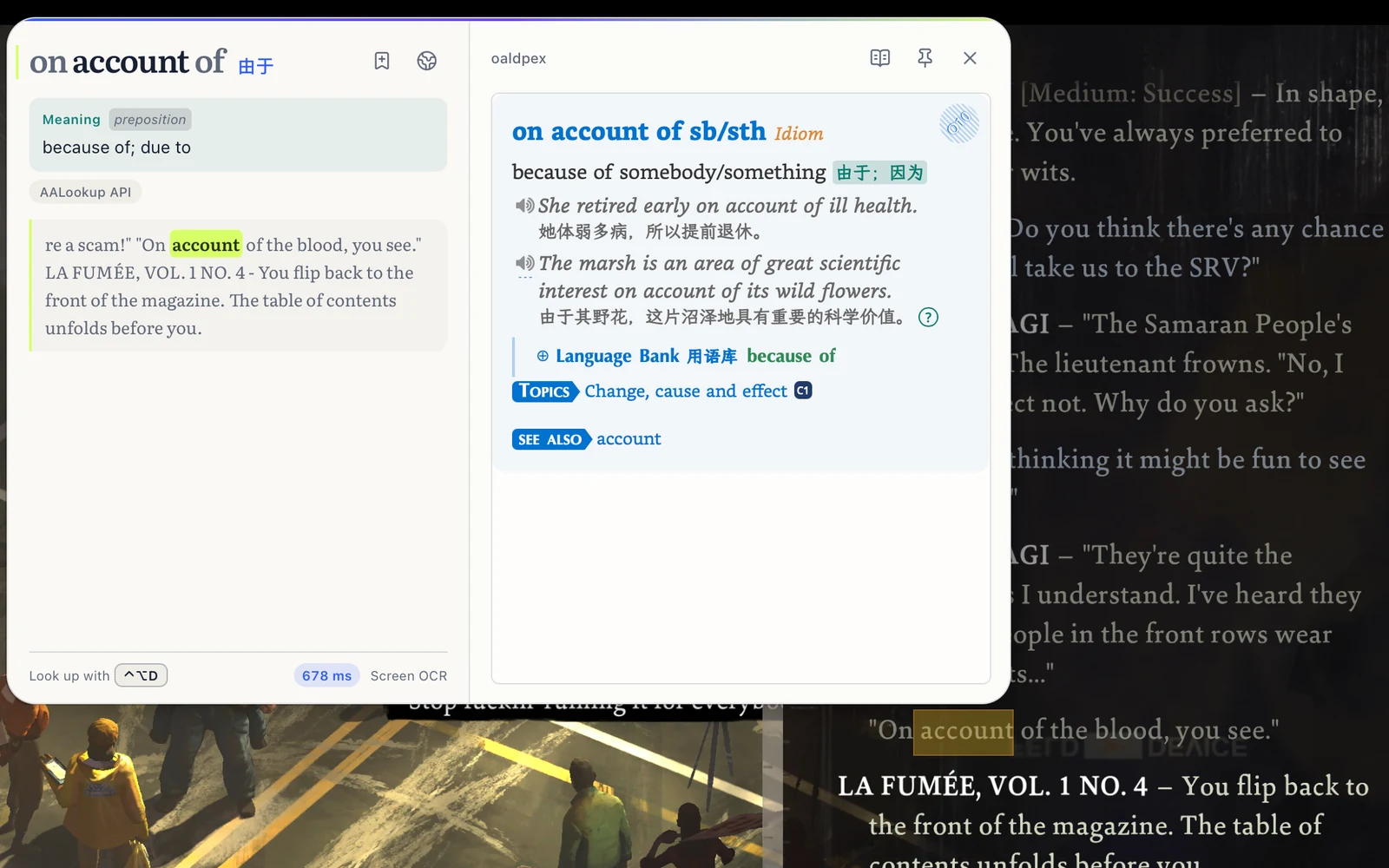
Browsers, PDF readers, Office, terminals, games. If the word is on your screen, one shortcut looks it up.
There's nothing on your desktop between lookups. The panel opens when you ask and closes when you're done.
Import a folder of MDict dictionaries once. They stay on your computer and work without a connection.
Free, no sign-up
macOS or Windows, under 20 MB, no account needed.
On a Mac, allow Accessibility so it can read the word under your pointer, and Screen Recording for text in games and images. Windows asks for nothing.
Three-finger tap on a Mac, or press your shortcut on Windows. The meaning appears next to the word.
A really good tool. On Windows I used STranslate and always wished it could open my local dictionary files, because a local lookup is always faster than asking an AI. This solves exactly that.
Using it now is a really good experience.
Windows 10 and 11. The installer is under 20 MB and needs nothing else installed.
You pick it during setup. A keyboard shortcut, a double tap of a modifier key, or a mouse button all work.
Yes. AALookup recognises the text on your screen, so words in games, videos and images can be looked up like any other.
Yes. Dictionary lookups are free, offline and unlimited. AI explanations come with a free trial.
Get AALookup
Local dictionaries work offline and without limits. AI explanations come with a free trial.
Checking the latest release…