From reading, not just from lists
Every word you look up joins your list with the sentence it came from. When it comes back for review, you remember where you met it instead of looking it up again.
For exam prep
Studying for CET, the postgraduate entrance exam, IELTS or TOEFL? AALookup keeps the words you meet while reading, trains the word book you're working through, and reviews both on one schedule.
No account needed. Your dictionaries stay on your computer.
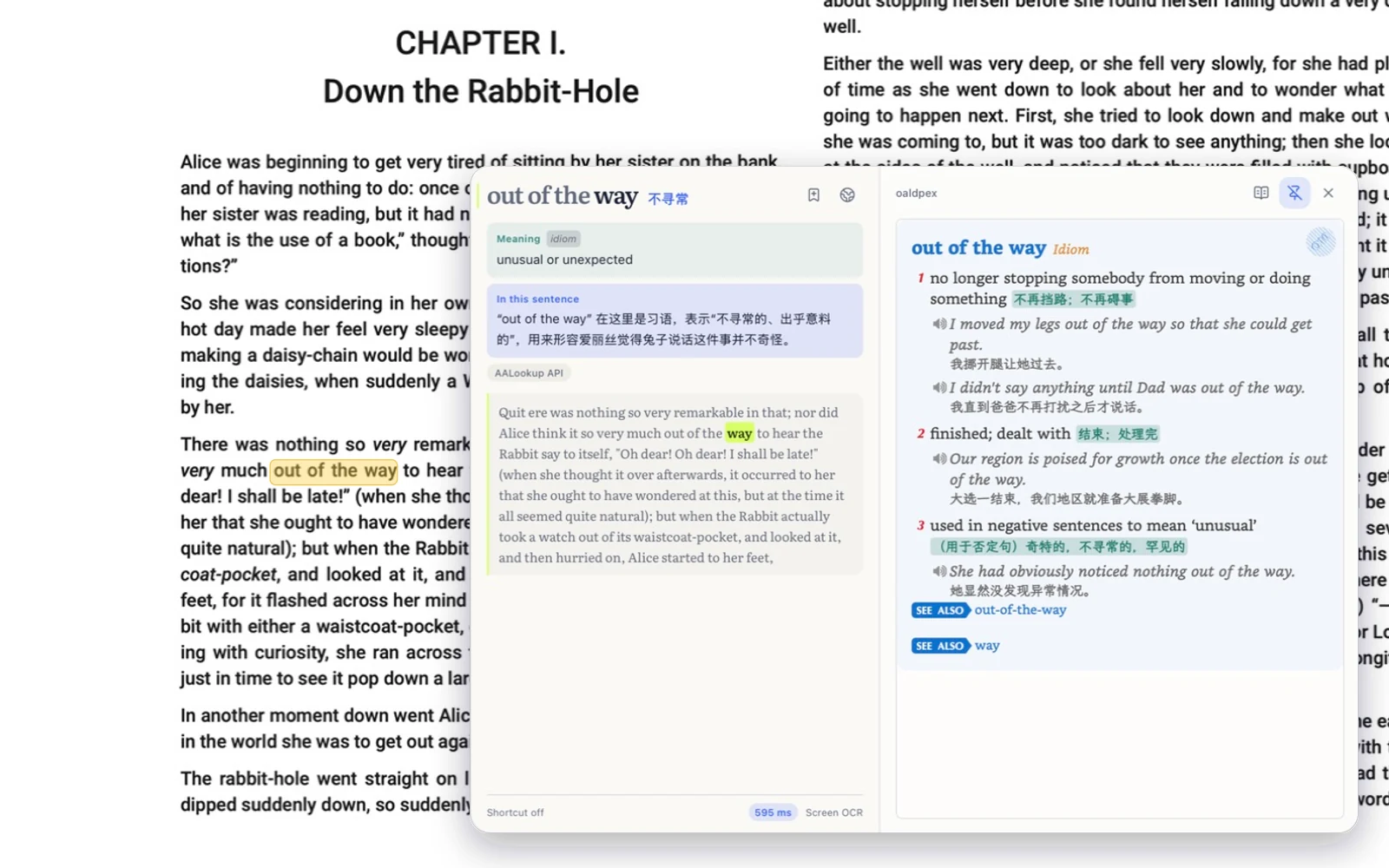
Every word you look up joins your list with the sentence it came from. When it comes back for review, you remember where you met it instead of looking it up again.
Copy, spell, listen, and write from dictation. Each word you train enters the same review queue as the words from your reading.
On your Mac or PC, in the browser, and on your phone. Your progress follows your account.
Free, no sign-up
macOS or Windows, under 20 MB, no account needed.
On a Mac, allow Accessibility so it can read the word under your pointer, and Screen Recording for text in games and images. Windows asks for nothing.
Three-finger tap on a Mac, or press your shortcut on Windows. The meaning appears next to the word.
Word books for the common exams come with the app, and you can import your own study data.
Not to look up words or train. An account keeps your progress in sync across devices, and free accounts sync the words you're still learning.
Each word comes back when you're about to forget it, based on how you answered last time. It's the same scheduling Anki users know as FSRS.
Get AALookup
Local dictionaries work offline and without limits. AI explanations come with a free trial.
Checking the latest release…