Works where Look Up doesn't
Games, video subtitles, scanned PDFs, apps that won't let you select text. If you can see the word, you can look it up.
macOS Look Up alternative
Three-finger tap a word in Safari, a PDF, a game or a video. AALookup opens next to the word with the meaning that fits the sentence, and keeps the word so you can review it later. Free, no account needed, and the same on Windows.
No account needed. Your dictionaries stay on your computer.
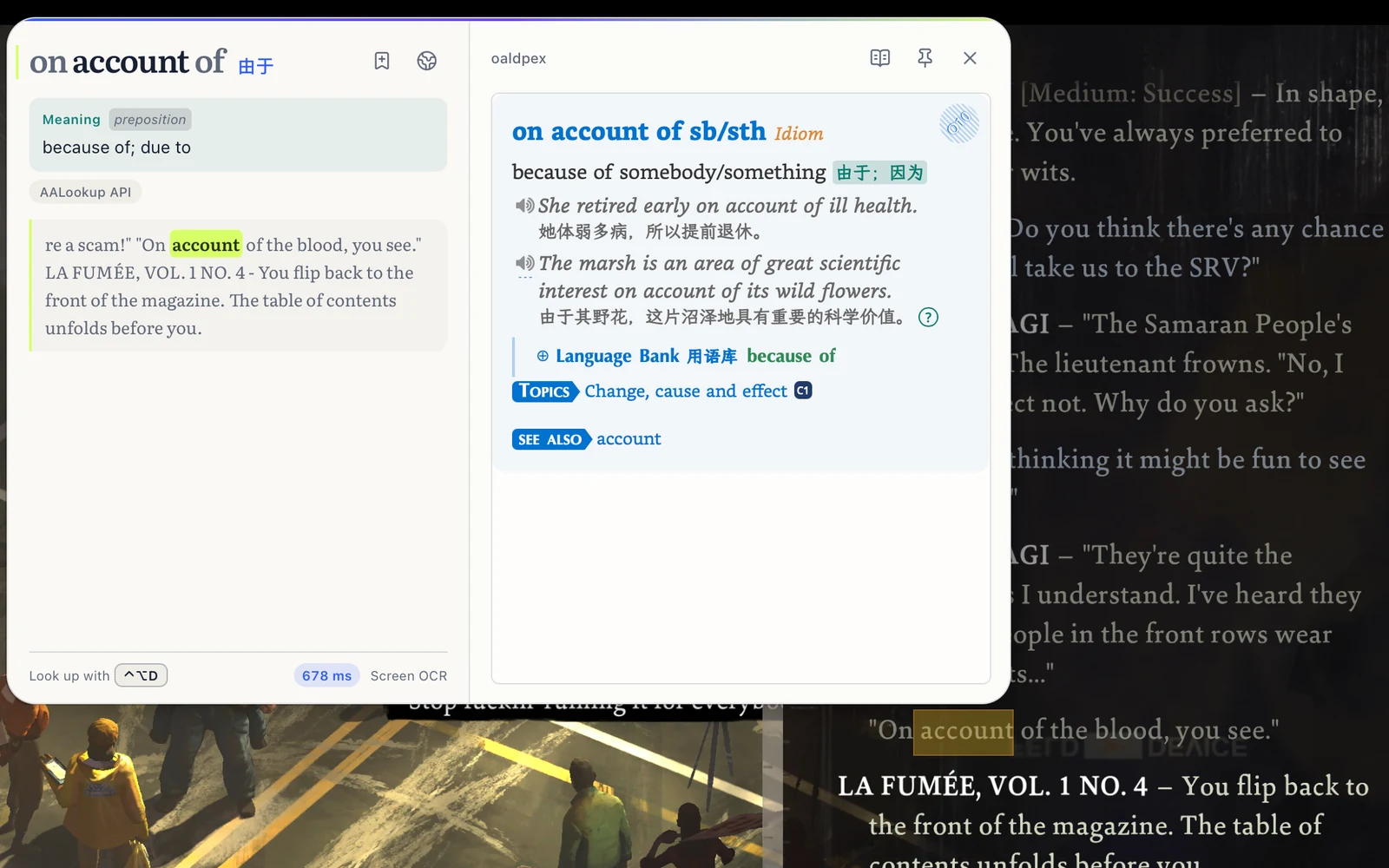
Games, video subtitles, scanned PDFs, apps that won't let you select text. If you can see the word, you can look it up.
Instead of every sense the word has, you get the one the sentence is using, with the full entry from your own dictionaries below it.
Use the MDict dictionaries you already own, keep the three-finger tap you're used to, and add a keyboard shortcut if you like.
Free, no sign-up
macOS or Windows, under 20 MB, no account needed.
On a Mac, allow Accessibility so it can read the word under your pointer, and Screen Recording for text in games and images. Windows asks for nothing.
Three-finger tap on a Mac, or press your shortcut on Windows. The meaning appears next to the word.
I'm a Mac user, and the trackpad gesture alone made me download it. Lookups are fast, and it combines the strengths of dictionaries and AI. The built-in three-finger Look Up often gets the range of a Chinese word wrong; AALookup is spot-on in English and nearly always right in Chinese. Genuinely smooth.
It's not just fast, it's that you can look things up anywhere. And the interface is modern; it feels like my dictionary app jumped from an antique straight into the present.
No. AALookup has its own gesture setting. You can keep both, or hand the three-finger tap to AALookup in its settings.
Yes. Words in Chinese and other languages are recognised on screen, and explanations are written in the language you pick in Settings.
Nothing for looking words up in your own dictionaries, offline and without limits. AI explanations come with a free trial, and Plus adds more if you need them.
Yes. It's the same panel with a keyboard shortcut instead of the trackpad gesture, and it reads text in games and images too.
Get AALookup
Local dictionaries work offline and without limits. AI explanations come with a free trial.
Checking the latest release…