What syncs
Saved words with their sentences and dictionary sources, your review schedule and progress, and the word books you're training.
Sync
One account connects AALookup on your Mac or PC, the Android and iPhone apps and the browser. Saved words, their sentences and your review progress travel with you, and a review done on your phone counts on your desktop.
No account needed. Your dictionaries stay on your computer.
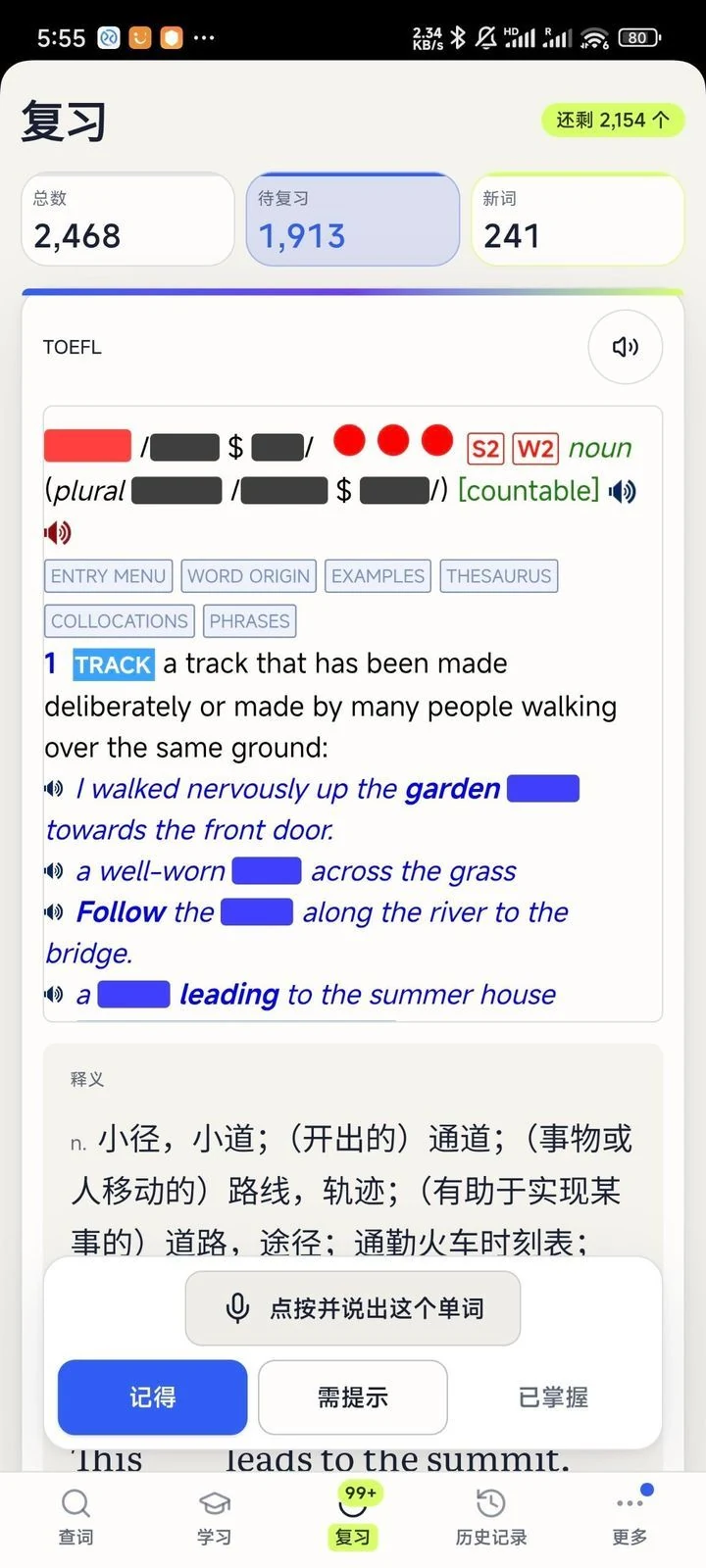
Saved words with their sentences and dictionary sources, your review schedule and progress, and the word books you're training.
Your dictionary files and what you read never leave your computer. Sync carries your words, not your pages.
Free accounts sync up to 100 unmastered cards. Plus syncs all of them, mastered cards included, for as long as the membership lasts.
Free, no sign-up
macOS or Windows, under 20 MB, no account needed.
On a Mac, allow Accessibility so it can read the word under your pointer, and Screen Recording for text in games and images. Windows asks for nothing.
Three-finger tap on a Mac, or press your shortcut on Windows. The meaning appears next to the word.
Only for sync. On a Mac or PC everything else works without one. The phone apps sign in so they can sync.
Sync pauses for new cards until you mark some as mastered or upgrade to Plus. Everything stays usable on the device it's on.
macOS, Windows, Android, iPhone and iPad, plus review in the browser.
Sync carries only your saved words and progress. Dictionaries and the content you read stay on your computer.
Get AALookup
Local dictionaries work offline and without limits. AI explanations come with a free trial.
Checking the latest release…