Windows, working today
The same panel on Windows 10 and 11, with a keyboard shortcut instead of the gesture, and it reads games and images as well. No waiting list.
Compared with NearWord
NearWord and AALookup share an idea: point at a word, get the meaning where you are, with optional AI context. AALookup is the one that also works fully on Windows today, opens the MDict dictionaries you already own, keeps every looked-up word for spaced review and syncs it to your phone. The download is 17 MB.
No account needed. Your dictionaries stay on your computer.
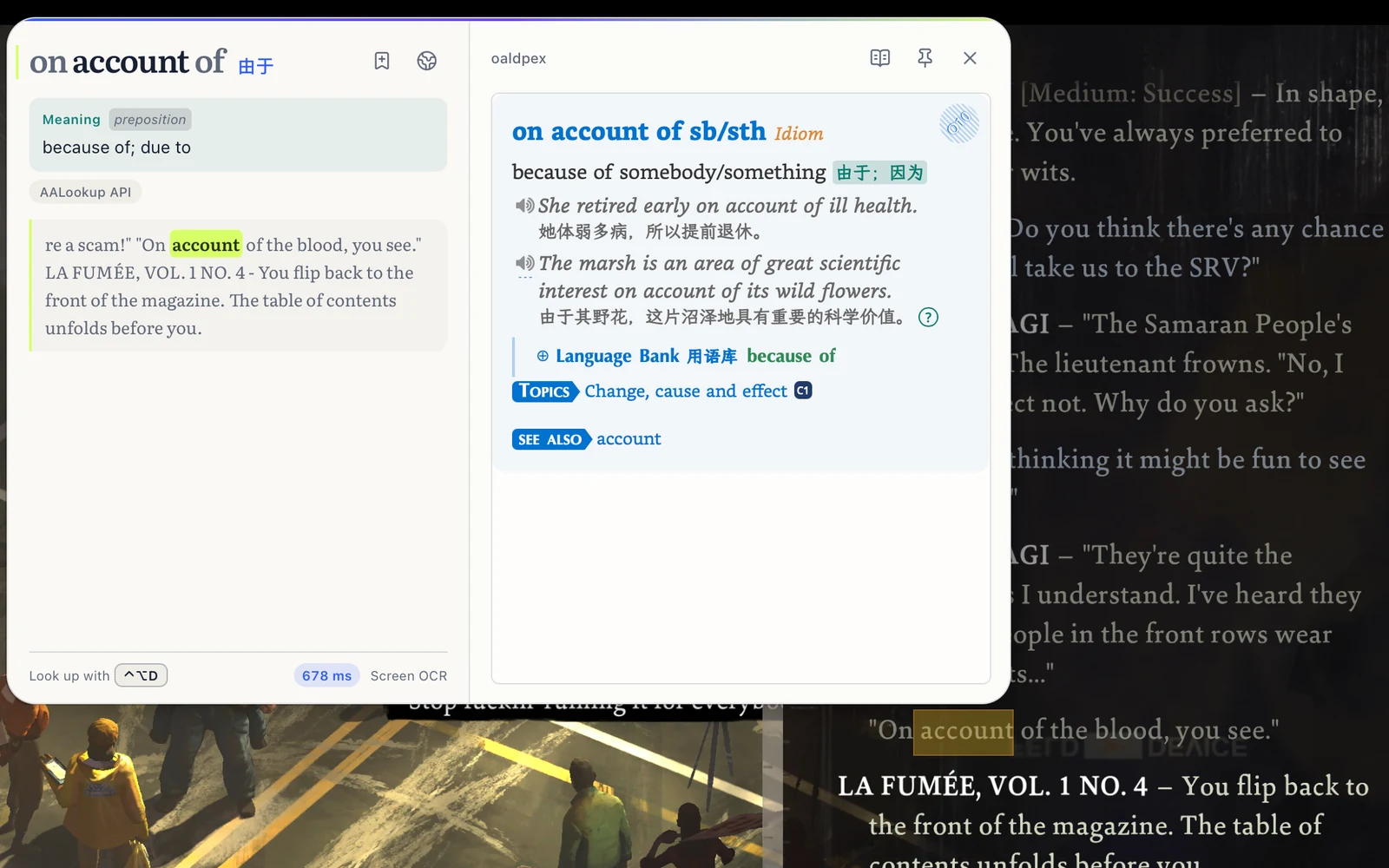
The same panel on Windows 10 and 11, with a keyboard shortcut instead of the gesture, and it reads games and images as well. No waiting list.
Import a folder of MDict dictionaries and read entries in their publisher's layout, with no limit on how many.
Saved words come back for spaced review on your computer, in the browser, or on Android and iPhone.
| Compared on | AALookup | NearWord |
|---|---|---|
| Download size | 17 MB (Apple silicon), 18 MB (Intel), 20 MB (Windows) | 128 MB (macOS, Apple silicon) |
| Windows | Full app: lookups, screen text, review | Early-access installer; lookups documented for macOS only |
| Your own dictionaries | MDict files, unlimited, publisher layout kept | Dictionaries downloaded inside the app |
| After the lookup | Spaced review, word books, Android and iPhone apps | History and export to Anki; built-in review listed as planned |
NearWord column from nearword.app on 2026-09-16 (version 0.18.1): download page, documentation and features page. AALookup 1.0.3.
Free, no sign-up
macOS or Windows, under 20 MB, no account needed.
On a Mac, allow Accessibility so it can read the word under your pointer, and Screen Recording for text in games and images. Windows asks for nothing.
Three-finger tap on a Mac, or press your shortcut on Windows. The meaning appears next to the word.
I'm a Mac user, and the trackpad gesture alone made me download it. Lookups are fast, and it combines the strengths of dictionaries and AI. The built-in three-finger Look Up often gets the range of a Chinese word wrong; AALookup is spot-on in English and nearly always right in Chinese. Genuinely smooth.
I used to chain two apps together, one for grabbing words off the screen and GoldenDict-ng for the dictionaries. AALookup does all of that on its own, and the UI is done really well.
Yes, fully. The panel, screen text in games and images, saved words and review, on Windows 10 and 11.
Yes. They don't conflict. Give each its own shortcut.
Yes. You get the meaning this sentence is using, with a free trial, and your dictionaries offline with no limit.
Yes. Dictionary lookups are free, offline and unlimited. AI explanations come with a free trial, and Plus adds more.
Get AALookup
Local dictionaries work offline and without limits. AI explanations come with a free trial.
Checking the latest release…