Hold the screen
One shortcut freezes the screen, so a subtitle or a moving line stays put while you point. A reading spotlight keeps the line you're on in view.
Screen text
Games, video, scanned pages, screenshots, slides in a call. No dictionary can select that text. Press the shortcut and AALookup reads the screen, holds it still, and opens the meaning next to the word you point at.
No account needed. Your dictionaries stay on your computer.
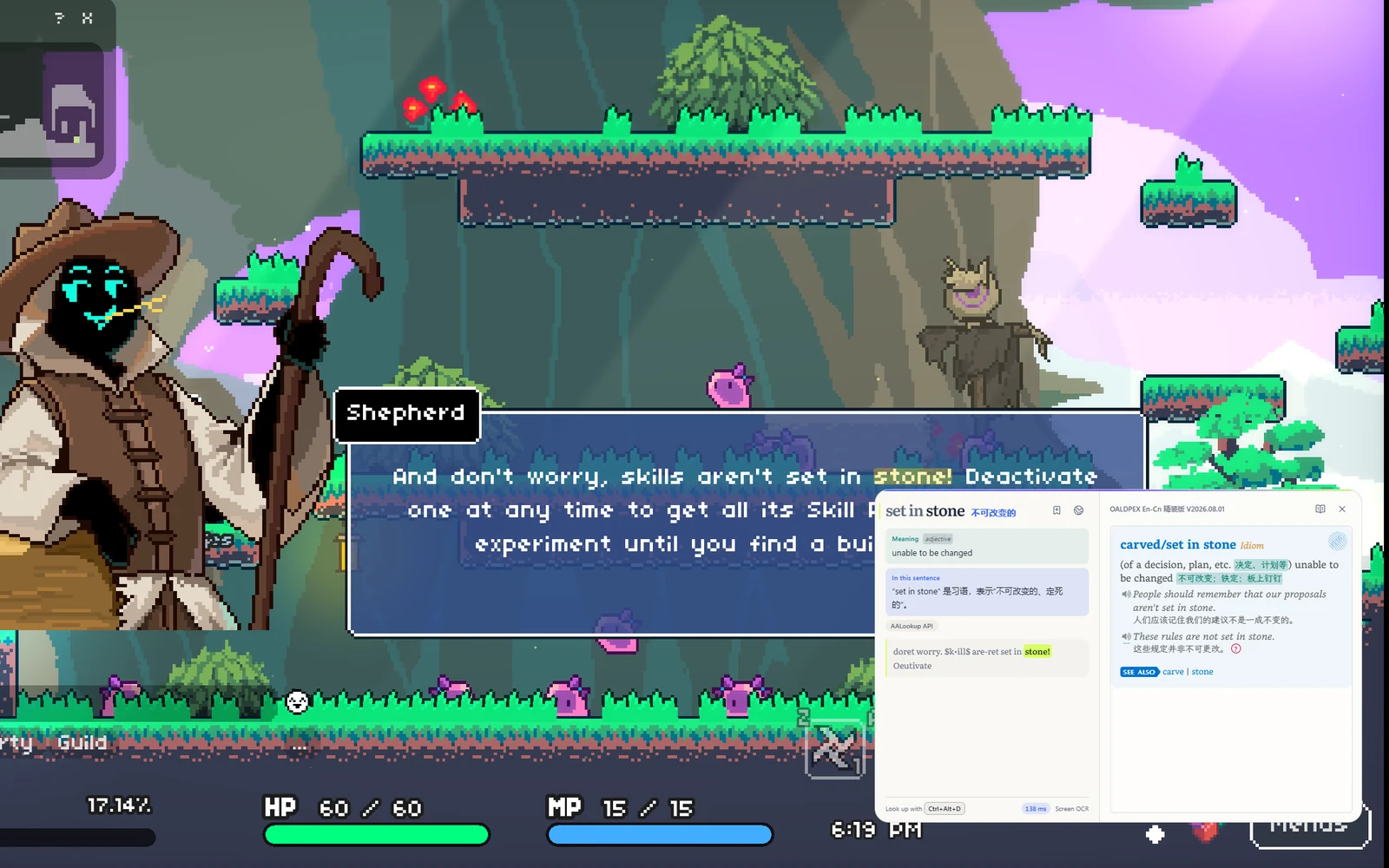
One shortcut freezes the screen, so a subtitle or a moving line stays put while you point. A reading spotlight keeps the line you're on in view.
On the held screen, the text becomes selectable. Copy it, or look up words from it as if it were a document.
Annotate the held screen, mosaic what should stay private, and copy the result, without leaving the page you were reading.
Free, no sign-up
macOS or Windows, under 20 MB, no account needed.
On a Mac, allow Accessibility so it can read the word under your pointer, and Screen Recording for text in games and images. Windows asks for nothing.
Three-finger tap on a Mac, or press your shortcut on Windows. The meaning appears next to the word.
I used to chain two apps together, one for grabbing words off the screen and GoldenDict-ng for the dictionaries. AALookup does all of that on its own, and the UI is done really well.
A really good tool. On Windows I used STranslate and always wished it could open my local dictionary files, because a local lookup is always faster than asking an AI. This solves exactly that.
English, Chinese, Japanese and Korean. You can pin the language if you always read the same one.
No. Screen text works as installed on Windows 10 and 11. macOS asks for Screen Recording once.
No. The screen is read only when you press the shortcut, on your own computer, and nothing is kept unless you copy or save a screenshot yourself.
Yes. Dictionary lookups are free, offline and unlimited. AI explanations come with a free trial.
Get AALookup
Local dictionaries work offline and without limits. AI explanations come with a free trial.
Checking the latest release…