習語和短語動詞,整個識別
指著其中一個詞,AALookup 會看出它所屬的短語,所以 out of the way 解釋的就是 out of the way。
讀電子書與小說
不管書在哪個應用程式裡,三指輕點或一個快速鍵就能在詞旁邊開啟釋義,而且是這句話裡的那個意思。習語按習語識別。查過的每個詞都能連同原句留下來。
不用註冊,字典留在你自己的電腦上。
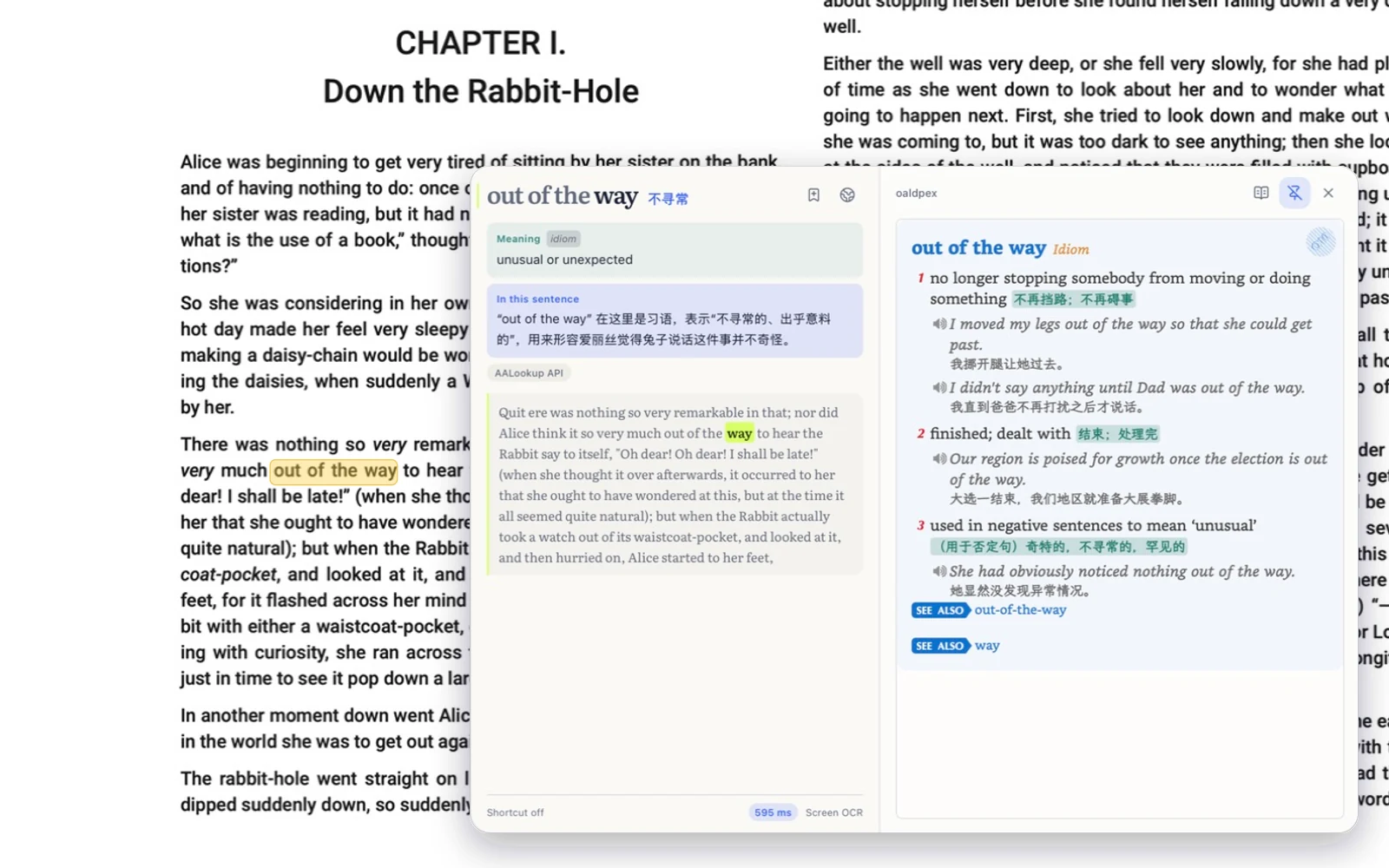
指著其中一個詞,AALookup 會看出它所屬的短語,所以 out of the way 解釋的就是 out of the way。
Mac 和 PC 上的 Kindle,還有鎖住文字的閱讀器,直接讀螢幕就行,面板照樣開啟。
一下存下一個詞,之後它會帶著書裡的那句話回來找你複習。
免費,不用註冊
選擇適合你係統的安裝檔,下方下載區會顯示當前版本和實際大小。
Mac 上允許「輔助使用」,它才能讀到游標下的詞;要讀遊戲和圖片裡的字,再允許「螢幕錄製」。Windows 上不需要任何授權。
Mac 上三指輕點,Windows 上按快速鍵,釋義就出現在詞旁邊。
I'm a Mac user, and the trackpad gesture alone made me download it. Lookups are fast, and it combines the strengths of dictionaries and AI. The built-in three-finger Look Up often gets the range of a Chinese word wrong; AALookup is spot-on in English and nearly always right in Chinese. Genuinely smooth.
It's not just fast, it's that you can look things up anywhere. And the interface is modern; it feels like my dictionary app jumped from an antique straight into the present.
macOS 或 Windows 上的任何應用程式:Apple Books、Kindle、Readest、Calibre、Thorium、瀏覽器。若閱讀器無法提供文字,AALookup 就會讀取螢幕。
能。Kindle 不開放文字,AALookup 從螢幕上讀。macOS 上給「螢幕錄製」權限,Windows 什麼都不用。
能。字典在你的電腦上,沒有網路也能用,只有 AI 講解需要連網。
免費。字典查詞離線、不限次數,AI 講解可以免費試用。
下載 AALookup
本機字典離線可用,不限次數;AI 講解可以免費試用。
正在獲取最新版本…